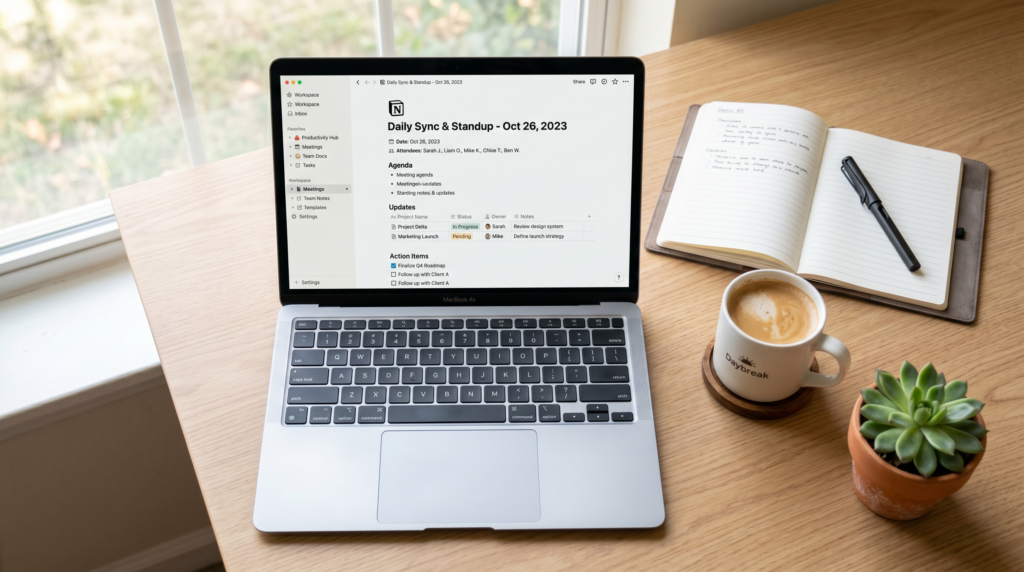
Bottom line: Notion has matured into a flexible workspace where a small Spartanburg business can keep its SOPs, meeting notes, internal wiki, and lightweight project tracking in one place — without paying for four separate tools. It is not the cheapest option, and it is not the simplest, but for owner-operators who think in documents and checklists, it remains one of the best all-in-one workspaces in 2026.
What Notion actually is
Notion is a connected-pages workspace. Every page can hold rich text, embedded files, checklists, and structured databases (a meeting log, a customer list, a content calendar). Pages link to other pages, so your standard operating procedures can reference the same supplier database your purchasing checklist uses. That linking is what separates Notion from a Google Drive folder full of orphaned files.
What it is good for in a small Spartanburg business
- Standard operating procedures. A barber on Main Street can keep an opening checklist, a closing checklist, and a hiring playbook on three pages that all link back to one master operations hub.
- Meeting notes. A simple Meetings database with date, attendees, decisions, and action items beats an inbox full of Google Docs no one can find later.
- Internal wiki. Onboarding a new hire at a Spartanburg dental practice or HVAC shop becomes faster when the answer to “how do we do X” lives in one searchable place rather than a senior employee’s head.
- Light project tracking. A board view of a marketing relaunch or storefront remodel covers most small-business needs without paying for a dedicated tool.
What it is not great at
- Heavy spreadsheets. If your finances are in Excel or QuickBooks, keep them there. Notion databases are not Excel replacements.
- Real-time collaborative writing under pressure. Google Docs is still the smoother experience when three people edit one paragraph at the same time.
- Offline work. Notion is a web-first product. Field technicians on a truck without good signal will be unhappy.
- Customer-facing publishing. Notion can publish pages to the web, but it is not a website builder. Your storefront site belongs on a real CMS.
Pricing for a Spartanburg small business in 2026
Notion offers a free personal plan, which is enough for an owner-operator running solo. The Plus plan adds collaborative team workspaces. The Business plan adds advanced controls and analytics that most local shops will not need. For an Upstate small business with a handful of employees, the Plus plan is usually the right starting point. As always, check the current published pricing before committing — prices change.
How to set it up without overengineering
- Start with one page called “Operations Hub.” Link three child pages: SOPs, Meeting Notes, and People.
- Build SOPs from your real workflows. Open, close, hire, fire, order supplies, handle a complaint. Keep each SOP under one screen of text where possible.
- Make a Meetings database. Date, attendees, agenda, decisions, action items, owner. That is enough.
- Make a People database for staff. Name, role, start date, training status. Useful for both onboarding and accountability.
- Resist the urge to template everything. Add structure only when you find yourself copy-pasting.
How it compares to the alternatives
- Google Workspace alone. Cheaper, simpler, and already in most small offices, but the lack of structured databases means information sprawls across folders.
- Microsoft 365 with SharePoint. Powerful, but the learning curve is steeper than most independent local businesses can absorb.
- ClickUp / Asana / Trello. Better for project management as a primary use case. Worse as a general wiki and SOP hub.
- A folder full of Word docs. Free. Painful to navigate after the first year.
Real-world Spartanburg use case
A picture-framing shop near Morgan Square uses Notion to keep its supplier list, customer order log, and seasonal-promotion playbook on linked pages. Their owner can open the same workspace on a phone at the front counter or on a laptop at home and see the latest version. Two part-time employees know exactly where the closing checklist lives, which has reduced “did you forget to lock the side door” texts to nearly zero.
Verdict
For Spartanburg small businesses that already think in documents and want one tool to replace a tangle of folders and sticky notes, Notion is worth the investment of a setup weekend. For businesses whose work happens primarily in spreadsheets, on the floor, or in the field, it is probably overkill. The honest test: if you struggle to remember where last month’s decisions were written down, Notion will help. If you do not, you may not need it.